
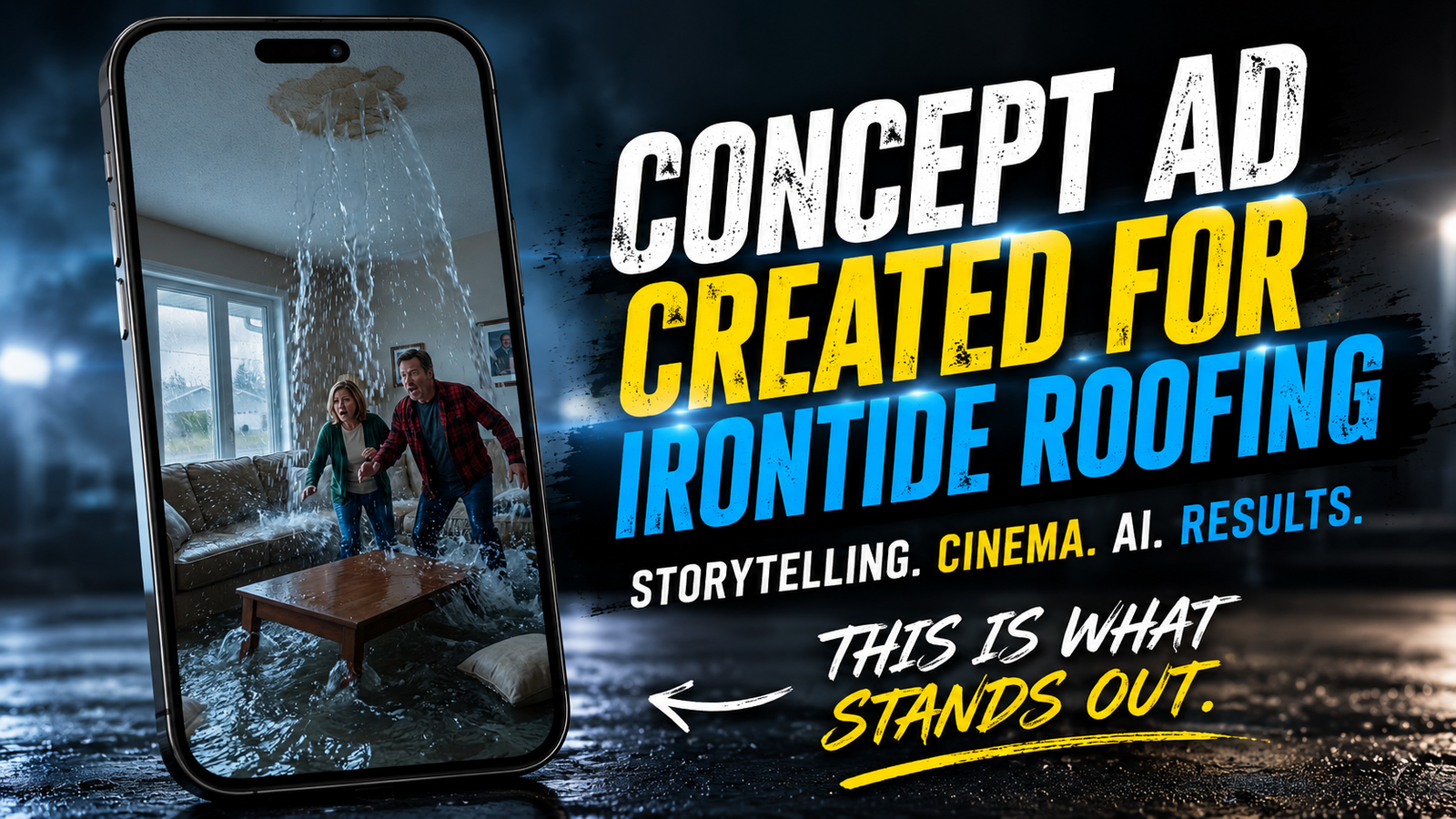
Creating the IronTide Roofing Concept Commercial: From Idea to Final Render
By Richard Huard | ContentForge
Many people assume AI lets you press a button and instantly create a polished commercial.
The reality is very different.
To demonstrate what modern content creation can look like, I created a complete 30-second concept commercial for IronTide Roofing.
This was not a commissioned project. It was a creative portfolio piece designed to show what is possible when storytelling, video editing, visual effects, sound design and AI-assisted production are combined.
The finished commercial took approximately 15 hours to complete from the original concept to the final render.
The Goal
I did not want to create another predictable roofing advertisement filled with workers on a roof, generic music and a phone number at the end.
I wanted to create something entertaining, memorable and built around a clear story.
The central idea was simple:
Turn a small roof leak into a ridiculous disaster that homeowners would immediately understand.
Humour grabs attention. Storytelling keeps people watching. A clear message helps them remember the business.
The Story Behind the Commercial
The commercial begins with a quiet exterior shot of a suburban home during heavy rain.
Inside, a homeowner notices what appears to be a small leak in the ceiling.
That small leak quickly becomes a major problem.
The ceiling damage grows, water pours into the living room and the situation escalates until the couple is floating through the house in a yellow dinghy.
The exaggeration is intentional. It creates humour while delivering a simple message:
Do not wait until a small roof problem becomes a major emergency.
The second half of the commercial introduces the roofing crew, shows the repair process and finishes with the home restored.
Planning the Commercial
Before generating any footage, I planned the story as a series of individual shots.
The sequence included:
- An exterior establishing shot in heavy rain
- A slow camera move toward the house
- The first signs of a ceiling leak
- Progressively worse water damage
- A flooded living room
- The dinghy scene
- The roofing company arrival
- A short repair montage
- The restored home
- A final company message
Planning was essential because every generated shot needed to connect with the next one.
Without a clear storyboard and shot list, the process would have turned into random experimentation.
Creating Consistent Characters and Locations
One of the biggest challenges with AI-assisted video is maintaining consistency.
The same homeowners needed to appear throughout the commercial. The house, living room, roof damage, clothing and overall lighting also needed to feel connected from one scene to the next.
This required repeated prompting, image adjustments and careful shot selection.
Some generations looked impressive on their own but did not match the rest of the commercial. Those shots had to be revised, regenerated or replaced.
Building the Visuals
The project used several tools, with each one serving a different purpose.
Photoshop
Photoshop was used for image preparation, cleanup and matte-painting work.
One of the most important edits involved enlarging the water-damaged section of the ceiling. The original version did not look severe enough, so I created a much larger opening to make the flooding sequence more believable and dramatic.
Photoshop was also used to:
- Repair inconsistent details
- Clean up generated images
- Adjust compositions
- Prepare still images for animation
- Improve damaged areas of the house
- Create stronger visual continuity between shots
Nano Banana Pro
Nano Banana Pro was used to generate and refine several of the still images that became the visual foundation for the video.
The goal was not simply to create attractive images. Each image had to be designed with animation in mind.
That meant considering camera angle, character placement, movement, lighting and how the shot would connect to the next scene.
Kling AI
Kling was used to animate many of the still images and create movement within the scenes.
This included:
- Camera movement
- Water motion
- Character reactions
- Environmental movement
- Roofing repair actions
Some shots worked after only a few attempts. Others required multiple generations because the movement looked unnatural, the characters changed or important details disappeared.
Veo 3
Veo 3 was used for additional cinematic shots and sequences that benefited from more advanced environmental movement.
Using more than one AI video tool gave me greater control over the final result. Different platforms handled different types of shots better.
The Dinghy Scene
The dinghy scene became the most memorable moment in the commercial.
The homeowners are shown floating inside their flooded living room while discussing what began as a small leak.
This scene required careful attention because the boat, paddles, water, characters and room all needed to work together.
AI generations often introduced problems such as incorrect paddle positions, changing character appearances or unrealistic water movement.
Several versions were tested before the scene felt funny, readable and visually connected to the rest of the story.
Creating the Roofing Repair Sequence
After the exaggerated flooding sequence, the commercial needed a clear shift in tone.
The roofing company arrives, the weather improves and the repair process begins.
The montage included shots of:
- The roofing truck arriving
- A worker approaching the home
- Ladder and safety equipment
- Damaged roofing materials being removed
- Underlayment installation
- New shingles being placed
- The repaired roof and restored home
The montage needed to feel fast enough for social media while still showing that the company had solved the problem.
Editing in DaVinci Resolve
All of the generated footage, visual effects, dialogue and sound design were assembled in DaVinci Resolve.
This is where the separate images and clips became a finished commercial.
The editing process included:
- Selecting the strongest generated clips
- Trimming shots for pacing
- Building the story structure
- Adding dialogue
- Adding music and sound effects
- Creating transitions
- Colour correction and grading
- Adding titles and branding
- Mixing the audio
- Rendering the final versions
The sound design was especially important.
Heavy rain, rushing water, ceiling damage, movement inside the room, roofing sounds and the final music all helped sell the story.
Without convincing sound, even strong visuals can feel unfinished.
Technical Problems During Production
The production also involved several technical setbacks.
One generated clip caused a full-resolution media decoding error inside DaVinci Resolve. The footage needed to be converted into a more reliable editing codec before it could be used properly.
Other challenges included:
- Characters changing between scenes
- Unrealistic water movement
- Missing props
- Incorrect boat and paddle placement
- Roofing materials changing between shots
- Scenes generating in the wrong aspect ratio
- Damaged areas of the ceiling changing shape
- Repeated renders and revisions
Each problem required a different solution. Sometimes the answer was another generation. Other times it required editing, compositing, matte painting or rebuilding the shot entirely.
Why the Project Took 15 Hours
A 30-second finished commercial can look simple when viewed online.
What viewers do not see is the amount of decision-making behind every second.
The approximate 15-hour production time included:
- Developing the original idea
- Writing the story
- Planning the shot list
- Designing the characters and locations
- Generating still images
- Animating the scenes
- Regenerating failed shots
- Editing images in Photoshop
- Creating visual effects
- Editing the commercial
- Building the sound design
- Adding branding and titles
- Rendering and reviewing the final video
AI Did Not Create the Commercial by Itself
This project is a good example of why AI does not remove the need for a creative professional.
AI helped generate images and motion, but it did not make the important creative decisions.
It did not decide:
- What the commercial should be about
- Where the humour should happen
- How the story should escalate
- Which shots should be kept
- How the pacing should feel
- Where the sound effects should land
- How the final message should be delivered
Those decisions still came from the creator.
AI was one part of the production workflow. The final result still depended on planning, visual judgement, editing ability, patience and storytelling.
The Final Result
The finished commercial tells a complete story in approximately 30 seconds.
It begins with curiosity, escalates into chaos, introduces humour, presents the solution and ends with the home restored.
Rather than creating a standard roofing advertisement, the goal was to create a commercial viewers might actually remember.
That is the type of work I want ContentForge to be known for.
What This Project Demonstrates
The IronTide Roofing concept commercial demonstrates how several creative skills can work together:
- Concept development
- Storyboarding
- AI-assisted image generation
- AI video generation
- Photoshop and matte painting
- Video editing
- Sound design
- Visual effects
- Commercial storytelling
- Social-media content creation
It also shows how a service business can be promoted without relying on the same style of content as every competitor.
Could Your Business Use a More Memorable Video?
Most businesses already have a service worth promoting.
The challenge is presenting that service in a way that earns attention.
Whether you are a contractor, roofer, restaurant owner, gym operator or local service provider, a strong video can help your business feel more professional, memorable and different from the competition.
ContentForge creates short-form videos, social-media content, concept commercials, AI-assisted advertising and creative edits for businesses that want to stand out online.
Have footage that needs to be turned into stronger content, or an idea that needs to be developed from scratch?
Contact ContentForge to discuss your next video project.
About ContentForge
ContentForge is a video-editing and content-creation business operated by Richard Huard in Moncton, New Brunswick.
Services include short-form video editing, commercial-style content, social-media reels, YouTube videos, thumbnails, AI-assisted visuals, storytelling and content repurposing.
The goal is simple:
Create content people remember.